


Create a user
POST https://{controlplane_path}/api/1/rest/public/usersCreates a user or a service account for the specified environment. A service account doesn't have access to the SnapLogic UI. Environment admins can also create user, team, and service accounts in Admin Manager.
Prerequisites
- Environment (Org) admin permissions
Query parameters
None.
Request header
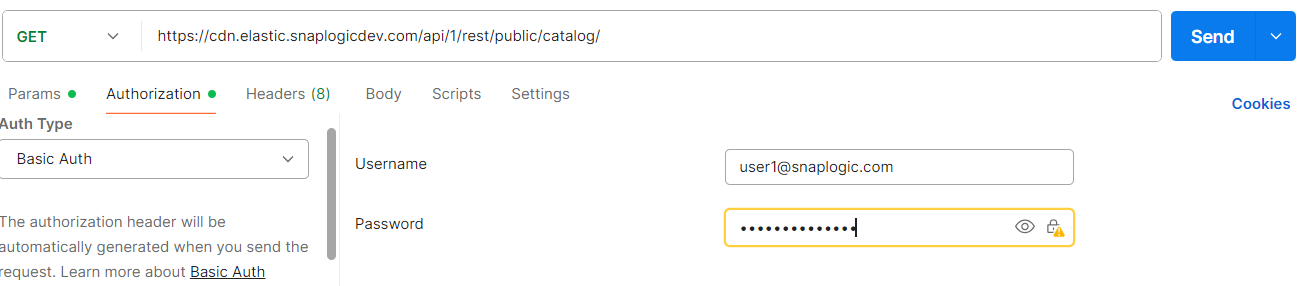
In the request header, specify Basic for authorization, add your credentials (Login and password of your SnapLogic user or service account), and specify application/json for content type.
For more details on accounts refer to Manage accounts.
Authorization: Basic {base64_encoded <email>:<password>}
Content-Type: application/json
Example of Basic authentication using Postman
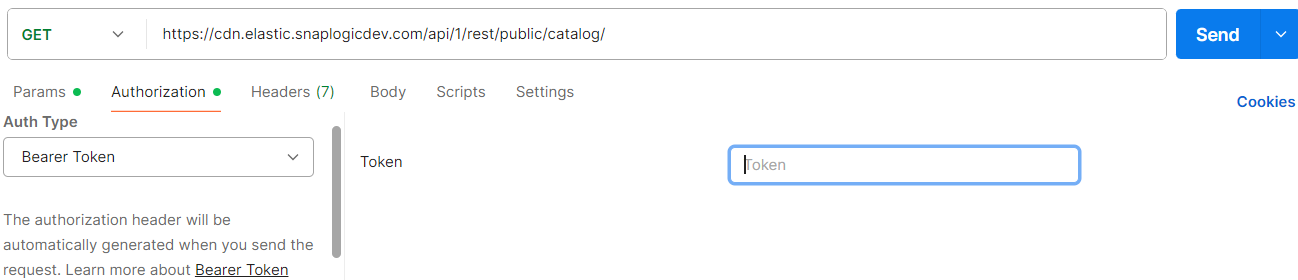
When using JWT authentication, the API requests includes specific headers. In the
request header, specify Bearer Token for authorization, add the token,
and specify application/json for content type. These headers are
automatically added when you configure bearer token authentication in your API client.
The authorization header contains the word Bearer followed by a
space and your JWT token.
Authorization: Bearer Token {token}
Content-Type: application/json
Example of JWT authenthication using Postman
Request body
{
  "email" : "...",
  "first_name" : "...",
  "last_name" : "...",
  "organization" : "...",
  "administrator" : true,
  "allow_password_login" : true,
  "utility" : true,
  "ui_access" : true,
  "create_home_directory" : true,
  "email_notification" : true,
  "certificate" : "...",
  "file_handle" : "..."
  "maintainers: "...",
  "managed: "...",
  "mfa_login: "..."
} | Key | Type | Description |
|---|---|---|
email |
string | The email address of the user. |
first_name |
string | The first name of the user. |
last_name |
string | The last name of the user. |
organization |
string | The Environment/Org to assign the user to. |
administrator |
Boolean | If true, the user is assigned as an Environment/Org admin. |
allow_password_login |
Boolean | If true, the user is allowed to log in with a password.
|
utility |
Boolean | If true, the account is tagged as a service account, not a user account, for use with automated processes. |
ui_access |
Boolean | If true, the user is granted access to the SnapLogic UI. |
create_home_directory |
Boolean | If true, a home directory is created for the user. |
email_notification |
Boolean | If true, the user is sent a welcome email when the account is created. |
certificate |
string | User's certificate containing public key. |
file_handle |
L{werkzeug.wsgi.LimitedStream} | An open file handle with the content, to store the user's certificate file that contains public key. |
maintainers |
list | A list of email addresses that receive the reset password link for a managed account. |
managed |
boolean | If the user is a Team account managed by maintainers |
mfa_login |
boolean | If the user has enabled MFA (Multi-Factor Authentication) |
- We recommend to set either the
utilityorui_accessattribute totrue, but not both simultaneously.- To create a service account, set the
utilityattribute totrue. - To grant access to the SnapLogic UI, set the
ui_accessattribute totrue.
- To create a service account, set the
- If the
utilityattribute is set totrue, theui_accessattribute is automatically read asfalse, regardless of any value provided forui_accessin the request body while making the API call. - Validate the user with email domain allowlist. If the new user is not in the email domain allow list, block the user creation.
Response
{
    "response_map": {},
    "http_status_code": 200
}