


Retrieve config info for a Groundplex
GET https://{controlplane_path}/api/1/rest/public/snaplex/config_file/{plex_path}?{query_parameters}This API retrieves the information needed to install and configure a node on a Groundplex.
You can use this API to automate the installation of Groundplex nodes.
Prerequisites
- Environment (Org) admin permissions
Path parameters
| Key | Description |
|---|---|
controlplane_path |
Required. The path to the SnapLogic control plane:
elastic.snaplogic.com
For the UAT or EMEA control plane, substitute the name for elastic. For
example:
|
plex_path |
Required.
The path to the Snaplex.
The path comparison is case-sensitive.
Format: Example: |
Query parameters
| Key | Type | Description |
|---|---|---|
expire_hours |
integer | An optional value to configure the number of hours before the returned URL expires to download the slpropz file. The URL is a link to the Snaplex configuration file.
Default: 1 |
version |
string | If set to current, the returned configuration is based on the version that is currently installed on the Snaplex.
Otherwise, the returned configuration is based on the latest available version.
|
Request header
In the request header, specify Basic for authorization, add your credentials (Login and password of your SnapLogic user or service account), and specify application/json for content type.
For more details on accounts refer to Manage accounts.
Authorization: Basic {base64_encoded <email>:<password>}
Content-Type: application/json
Example of Basic authentication using Postman
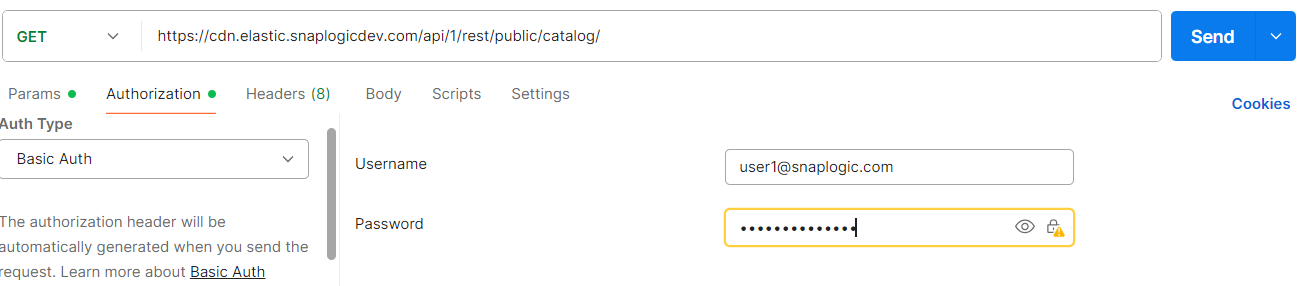
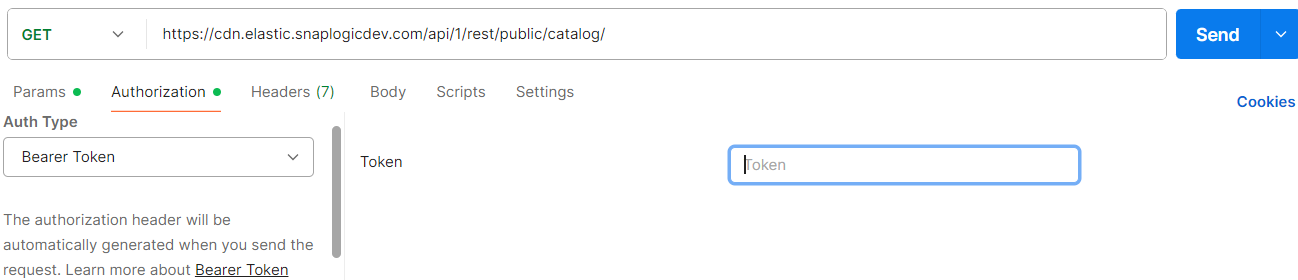
When using JWT authentication, the API requests includes specific headers. In the
request header, specify Bearer Token for authorization, add the token,
and specify application/json for content type. These headers are
automatically added when you configure bearer token authentication in your API client.
The authorization header contains the word Bearer followed by a
space and your JWT token.
Authorization: Bearer Token {token}
Content-Type: application/json
Example of JWT authenthication using Postman
Request body
None.
Response
{
  "response_map": {
    "config": "...",
    "pkgs": {
      "plex-rpm": {
        "comment": "...",
        "status": "...",
        "kind": "plex-rpm",
        "signatures": {
          "md5": "..."
        },
        "pkg_file": "...",
        "driver": "...",
        "uri": "...",
        "version": "...",
        "compatible_version": "...",
        "create_time": "...",
        "_id": "..."
      },
      "plex-deb": {
        ...
      },
      "plex-win": {
        ...
      }
    }
  },
  "http_status_code": 200
}
| Key | Type | Description |
|---|---|---|
| config | string | The signed URL where you can download the configuration file (.slpropz) for the Snaplex node.
Note: If you are an Environment admin, the configuration file contains generic credentials for the Snaplex node.
Otherwise, the configuration file contains the caller's credentials.
|
| pkgs | object | The Snaplex software packages that are available for installation.
The following metadata is included for each package type:
|